


Gymaroo's library has hundreds of exercises, each with a video and instructions. When yours isn't there (a machine only your gym has, a variation you do), make it.
Make one
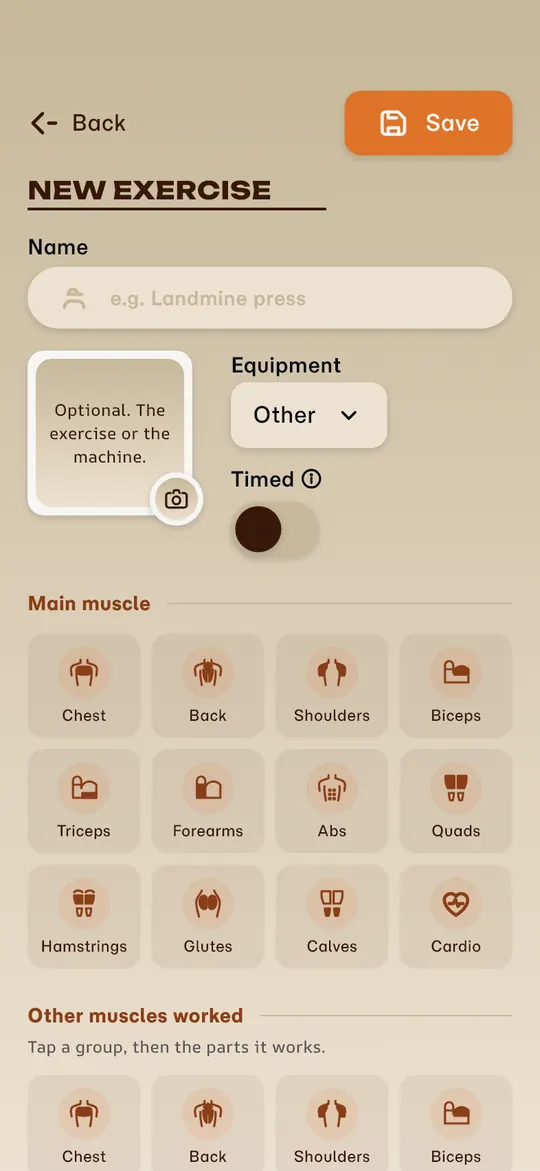
- Open Exercises in the tab bar (or ADD EXERCISE in a workout or editor) and tap New.
- Type its name.
- Optionally, add a photo of the machine or exercise. It stays on your phone.
- Pick the equipment, and turn Timed on if it's a hold or something timed instead of counted in reps.
- Under Main muscle, tap the muscle group, then the part it works most.
- Under Other muscles worked, tap any others.
- Tap Save.
Edit, merge or find them
- Your exercises show up in search like any other. In the library's Filters, Only my exercises shows only yours.
- On your exercise's page, Edit changes it, and Merge moves all its sets to another exercise (handy when you find it was in the library after all).
- Timed can't be changed once you've logged a set of it.